
Do you want to give your accountant access to your file in Simplybooks? This can be done easily and ensures smooth collaboration.
Step 1: Let your accountant create a free portal account
We recommend that your accountant first creates a free portal account.
This way, they always have a central overview of all files and can easily work through this portal.
https://eenvoudigfactureren.be/info/boekhouders/
Step 2: Add your accountant to your file
Once your accountant has an account, you can add them:
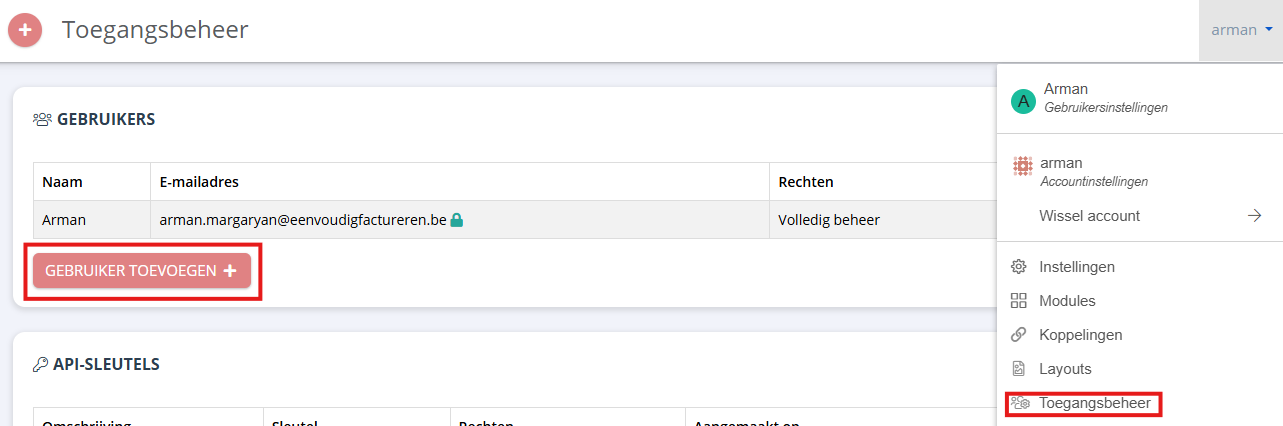
Go to the top right menu and click Access management
Click Add user +
Enter your accountant’s email address
Confirm the invitation
Your accountant will receive an invitation and will gain access to your file after accepting it.
With these steps, your accountant can quickly and easily follow your administration.
More information? Read the useful articles below