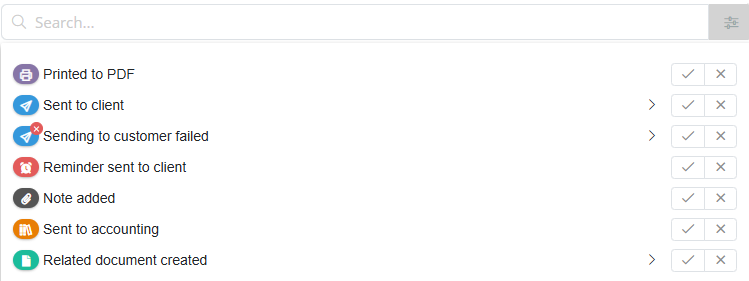
The sending icons indicate how a document was sent.
 |
|
These icons allow you to see at a glance how a document was sent and whether the delivery was successful.
Filtering
You can also filter by delivery status and delivery method. This allows you to quickly identify, for example, which invoices were not sent via Peppol or which deliveries have failed.