
Would you like to quickly log in to the EenvoudigFactureren app without manually entering your email address and password? You can easily do so using a QR code. In just a few steps, you can securely log in on your smartphone or tablet.
Step 1: Open EenvoudigFactureren on your computer
Open EenvoudigFactureren on your desktop or laptop and log in.
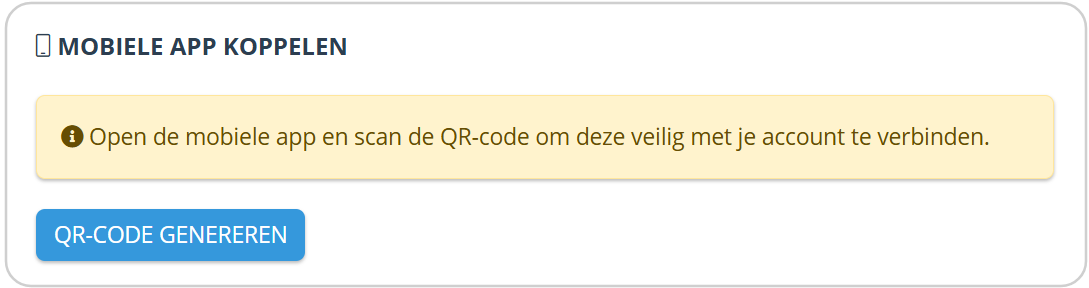
Then navigate to the menu in the top-right corner → User settings → Generate QR code
Step 2: Generate the QR code
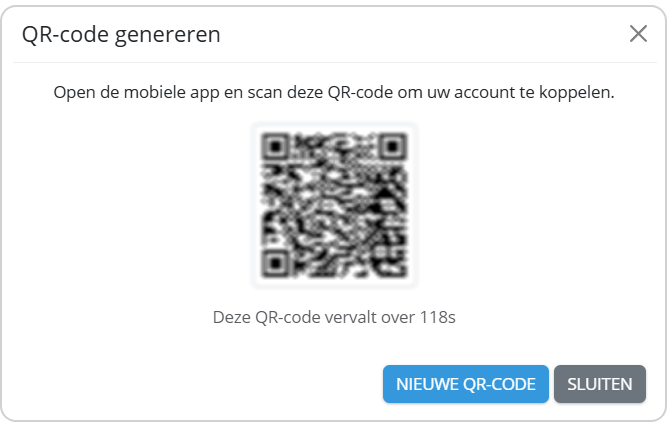
After clicking the button, a QR code will automatically appear on your screen.
Step 3: Open the mobile app
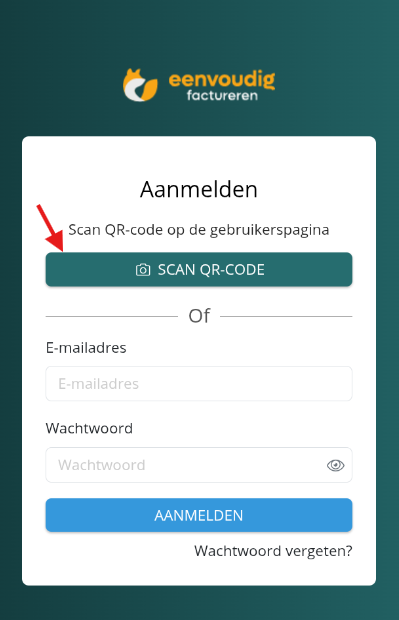
Now open the EenvoudigFactureren app on your smartphone or tablet.
Select Log in with QR code and scan the QR code displayed on your computer.
Step 4: Confirm the login on your computer
After scanning the QR code, a confirmation window will appear on your computer screen.
Confirm that you want to log in on the second device.
All done!
After scanning the QR code, you will automatically be logged in to the app. You no longer need to manually enter your email address or password.
This allows you to get started quickly and securely, wherever you are.