
With the subscriptions module, you can automatically create recurring rent requests. This is ideal for property managers, landlords or real estate agencies that want to send the same documents every month.
Step 1: Activate the subscriptions module & the free documents module
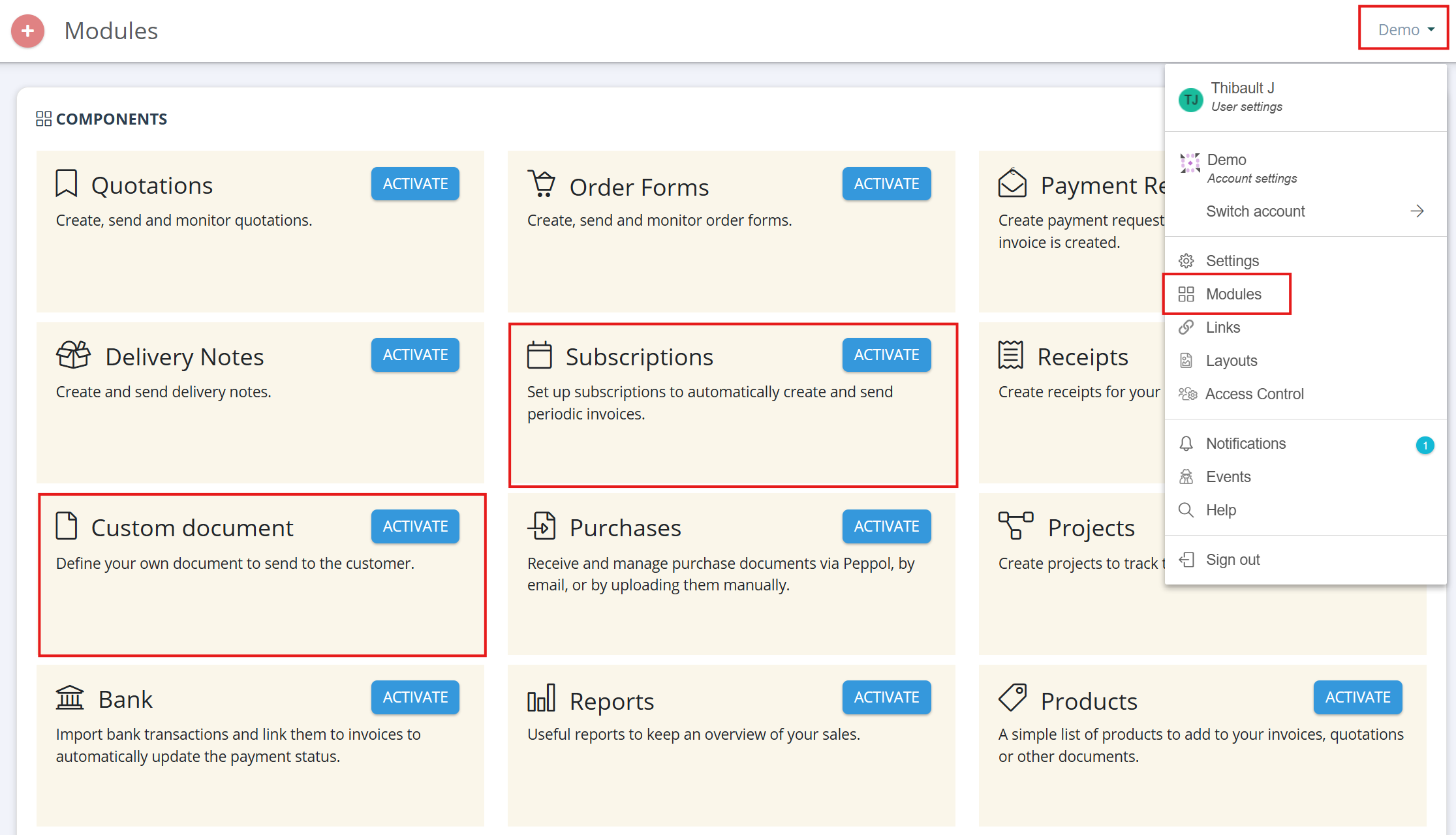
Go to your company name in the top-right corner and click: Modules → Subscriptions
Activate the Subscriptions module here.
Next, activate the Custom document module and name it: Rent request
Step 2: Set up the subscription
In the left-hand menu, go to: Subscriptions
Then click Create +.
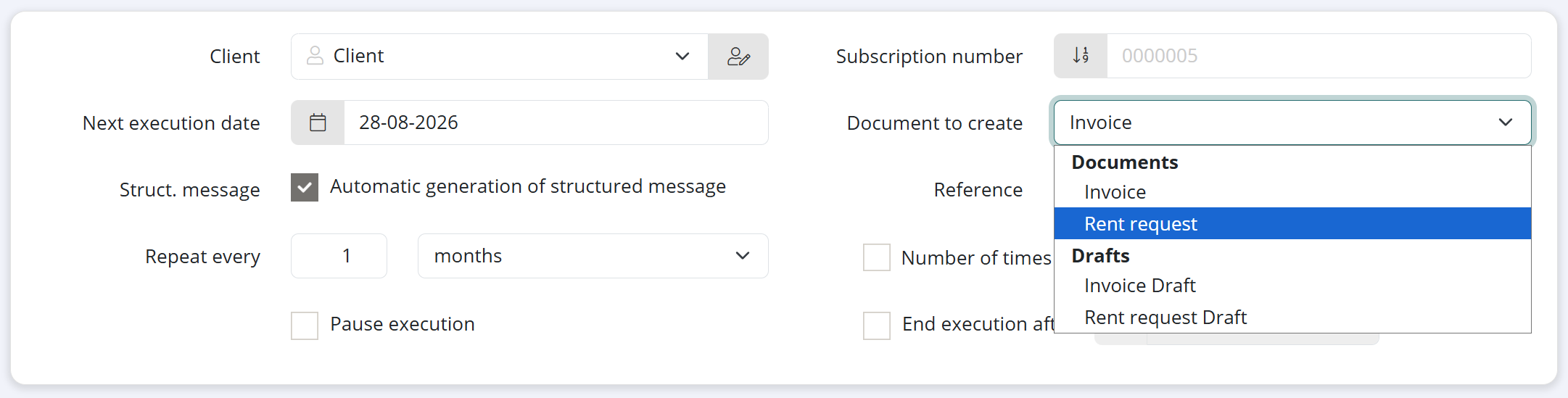
Enter the required information:
- Select the customer/tenant
- Set the first execution date
- Choose how often the subscription should be repeated (e.g. monthly)
- Add a reference if required
Under Document to create, select: Rent request
Step 3: Add the lines
At the bottom of the subscription, you can add the required lines, such as:
- Rent
- Property management fees
- Garage
- Additional costs
Enter the amount, VAT rate and, if applicable, the account.
Step 4: Save the subscription
Save the subscription.
From now on, the system will automatically create a new rent request according to the frequency you have set.
Extra: Use dynamic variables
You can also use dynamic variables in the description or accompanying text. This is useful for automatically displaying the correct month or period on the rent request.
Some useful examples for property management:
%document-date-month-full%→ current month%document-date-next-month-full%→ next month%document-date-year%→ current year
Example:
Rent for %document-date-next-month-full% %document-date-year%
This will be updated automatically each time the subscription is executed.